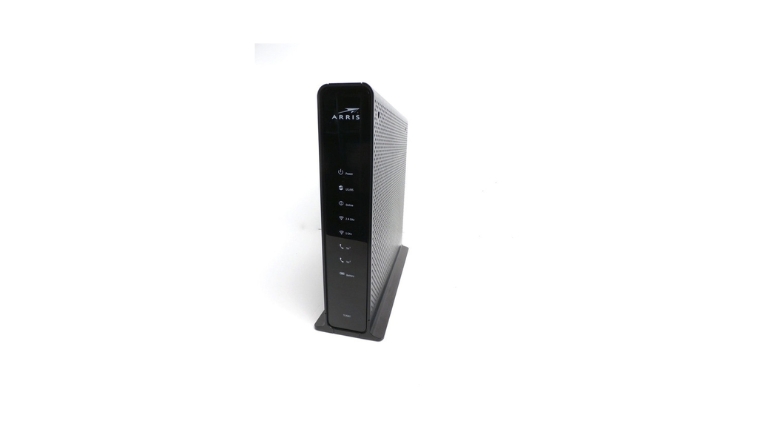
Arris is a leading name in the telecommunications industry, renowned for providing high-quality networking equipment that connects people from all over the world.
Whether you’re in need of a reliable internet service or a top-of-the-line networking device, Arris has got you covered.
In this article, we will dive into everything you need to know about the Arris device, its features, benefits, and how it can revolutionize the way you connect to the internet.
Understanding Arris Device
Arris devices are essential networking equipment that enables high-speed internet connectivity. They are specially designed to work with cable internet service providers and are widely used in homes, offices, and other establishments.
With the Arris device, you can enjoy uninterrupted internet access on multiple devices simultaneously, making it an indispensable tool in the modern digital era.
What are the different types of Arris Devices?
Arris is a leading provider of networking equipment, offering a wide range of devices to meet various needs.
Its products include modems, routers, and Wi-Fi extenders, which are designed to provide reliable and fast internet connectivity to homes and businesses. Some of the most popular Arris devices include:
Arris Surfboard Modems
The Arris Surfboard modem is one of the most sought-after devices from the company, known for its compatibility with cable internet service providers and lightning-fast internet speeds.
Available in various models, such as the SB6141, SB6183, SB6190, and SB8200, among others, the Surfboard modem is a popular choice among internet users.
Arris Routers
Arris routers are specifically designed to complement the Surfboard modems, allowing for smooth and uninterrupted internet connectivity.
With a variety of router models available, such as the ARRIS SURFboard AC1600, AC1750, AC1900, AC3200, and AC5400, users can choose the one that best fits their needs.
These routers provide fast and reliable Wi-Fi coverage for homes and businesses of all sizes, making it easier to connect multiple devices to the internet simultaneously.
Arris Wi-Fi Extenders
Arris Wi-Fi extenders are the perfect solution for extending your Wi-Fi coverage in your home or office. These devices are easy to set up and can be used with any modem or router.
Arris offers various Wi-Fi extender models, including the ARRIS SURFboard SBR-AC1200P, SBR-AC1750, and SBR-AC1900P.
These models provide fast and reliable Wi-Fi coverage, making them an essential tool for anyone who wants to stay connected to the internet without any interruptions.
How Does Arris Device Work?
The Arris device functions by receiving data from your internet service provider and transmitting it to your various devices, including computers, smartphones, and tablets.
The device is engineered to offer high-speed internet connectivity to multiple devices concurrently, enabling you to browse the web, stream videos, and play online games seamlessly and without delays.
With its efficient performance and reliability, the Arris device is a popular choice among households and businesses worldwide.
Setting Up Arris Device
Setting up an Arris device is a straightforward process that you can do without any technical expertise. Here are the steps you need to follow:
- Connect your Arris device to a power source and turn it on.
- Connect your device to your modem using an Ethernet cable.
- Open your web browser and type in the default IP address for your Arris device (usually 192.168.0.1 or 192.168.1.1).
- Enter the default username and password provided by Arris to log in to the device’s interface.
- Follow the on-screen instructions to set up your device and configure your internet settings.
With these simple steps, you should be able to set up your Arris device quickly and easily.
Advantages of Using Arris Device
Using an Arris device comes with various benefits, such as:
- High-speed internet connectivity: Arris devices are designed to offer fast internet speeds, allowing you to browse, stream, and download content quickly.
- Easy to set up: Arris devices are user-friendly and come with easy-to-follow instructions, making it easy for anyone to set up the device without any technical knowledge.
- Multiple device connectivity: With an Arris device, you can connect multiple devices simultaneously, making it ideal for households with multiple users.
- Reliable performance: Arris devices are known for their reliable performance, ensuring that you can stay connected to the internet without any disruptions.
- Compatibility: Arris devices are compatible with most internet service providers, giving you more options to choose from.
Conclusion
In conclusion, for those seeking fast and dependable internet connectivity, an Arris device is an indispensable asset. With its easy setup process, user-friendly interface, and advanced security features, the device delivers consistent and reliable performance.
If you are in the market for a new modem, router, or Wi-Fi extender, an Arris device should definitely be at the top of your list.