Direct Answer
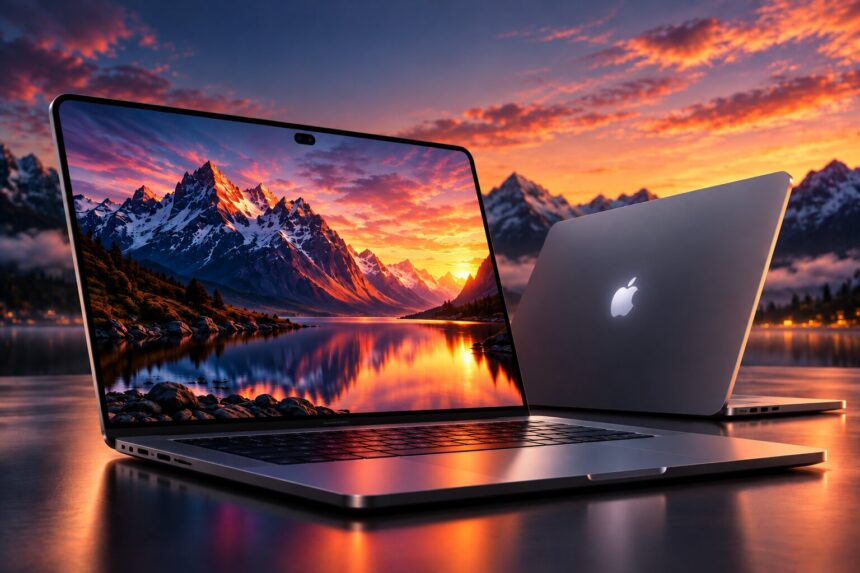
The new 14-inch and 16-inch MacBook Pro models introduce touchscreen interaction through the PROLED XDR display. Users can tap menus, scroll through content, zoom into images, move items, and manage windows directly on the screen. These MacBook Pro touch controls add another way to interact with macOS while keeping the familiar keyboard and trackpad.
The touchscreen also works with interface adjustments in macOS 27 and the new Dynamic Island. Understanding how these features work can help users decide when direct screen interaction is useful and when traditional input methods remain the better choice.

The Display Behind the Touch Experience
The new MacBook Pro touchscreen uses a PROLED XDR panel with tandem OLED technology and built-in touch sensors. Apple lists these display specifications:
- Up to 2,000 nits of peak brightness
- A 10,000,000:1 contrast ratio
- A 120Hz variable refresh rate
The display is available on the 14-inch and 16-inch models. Its touch capability lets users interact with visible content directly, but the MacBook remains a desktop-style computer rather than becoming a tablet.
You can read more about the hardware and touchscreen introduction in Apple’s official MacBook Pro announcement.
Five Touch Gestures Worth Learning
The main interactions are familiar to anyone who has used a touchscreen device. They provide shortcuts for common tasks without requiring users to abandon their existing workflow.
1. Tap to Select
Tap an icon, button, menu item, or document to select it. macOS can make nearby interface targets easier to reach when it detects finger input.
2. Swipe to Navigate
Swipe across the display to scroll through webpages, documents, and long lists. This can be convenient when reading or browsing content.
3. Pinch to Adjust the View
Spread two fingers apart to zoom in, then bring them together to zoom out. This gesture is useful when examining photographs, illustrations, and other detailed visuals.
4. Drag Items Into Position
Touch an item and move it to another location. Apple has demonstrated this gesture with presentation slides and visual layouts, showing how users can reposition content directly.
5. Double-Tap and Move Windows
Double-tap a window to make it fill the screen. Flicking a window toward the left or right edge activates macOS window tiling.
Interface Changes in macOS 27
The touchscreen experience also depends on how the operating system responds. macOS 27 adjusts menus and window controls for finger input, making smaller interface elements more comfortable to select.
Users can also reveal the Dock by swiping upward from the bottom of the display. These changes help the existing desktop interface accommodate touch without removing its familiar layout.
Dynamic Island and Its Main Features
Dynamic Island replaces the traditional notch and provides access to several features in one area of the display. Its three main uses include:
- Spotlight: Search for apps, files, and information.
- Live Activities: View supported activity updates.
- Siri AI: Access Apple’s assistant and supported features.
Dynamic Island is useful for brief checks and interactions while keeping the main application in view. It complements MacBook Pro touch controls by giving users another way to access information without constantly switching windows.
For more details about the new display and its features, visit Apple’s MacBook Pro with PROLED XDR product page.
When to Use Touch Instead of the Trackpad
Touch is useful for direct actions, such as selecting a visible control, zooming into a photograph, or moving a presentation slide. The Force Touch trackpad remains useful for precise pointer movements, while the keyboard continues to handle typing and shortcuts.
For example, a photographer can pinch to inspect an image before using the trackpad for a detailed selection. Someone writing a document can tap a menu and return to typing. Users do not need to choose just one input method.
Frequently Asked Questions
Are the new MacBook Pro models touchscreen computers?
Yes. The new 14-inch and 16-inch models support direct touch through the PROLED XDR display.
Do MacBook Pro touch controls replace the keyboard or trackpad?
No. The touchscreen works alongside the physical keyboard and Force Touch trackpad. Each input method remains useful for different tasks.
Will creative applications support touch?
Touch behavior depends on the application. macOS can translate touch into clicks, and developers can use updated gesture APIs to build more specialized interactions.
What features are available through Dynamic Island?
Apple identifies Spotlight, Live Activities, and Siri AI as its main uses on the new MacBook Pro.
When was the new MacBook Pro announced?
Apple announced the models on October 28, 2026. Preorders began that day, and availability was scheduled to start November 6, 2026.
Final Thoughts
The touchscreen adds a new interaction option to the MacBook Pro without removing the keyboard-and-trackpad experience. Learning the main gestures, exploring the touch-aware features in macOS 27, and understanding Dynamic Island can help users make better use of the updated interface.
The most practical approach is to use each input method according to the task. With macbook pro touch controls, users can interact directly with on-screen content while retaining the precision and familiarity of the traditional Mac setup.
Related reading on techharvey.com: troubleshooting a Mac application; controlling Apple Music behavior.