Direct Answer
Before trying to use Apple’s updated assistant, check whether your device meets the requirements. Siri AI availability depends on several conditions, including hardware, software, language settings, and regional access. Having the correct language selected does not automatically mean every feature will work.
The expansion of Siri AI languages gives more users access to the beta, but compatibility still determines who can use it. Checking each requirement in order can save time and help identify why the feature is missing.

Start With the Device Model
Hardware is the first requirement to check. If an Apple device does not meet the compatibility requirements, changing its language or restarting it will not make unsupported features available.
The supported hardware includes:
- iPhone 15 Pro and later
- iPhone 16 models and later
- iPhone Duo and iPhone Air
- iPad mini with A17 Pro
- iPads with M1 or later
- Macs with M1 or later
- MacBook Neo
- Apple Vision Pro
Apple Watch requires a paired iPhone with Siri AI enabled.
Check the exact model rather than relying only on the device’s purchase year. Two devices released around the same time may have different hardware capabilities.
Check the Installed Software
The Siri AI beta is associated with Apple’s 27.2 software updates for iOS, iPadOS, macOS, watchOS, and visionOS. A compatible device running older software may not display the beta option or provide the newest capabilities.
Install the latest compatible update available for the device. Then check Siri settings again.
If the update cannot be installed, confirm that the device supports the required operating-system version before continuing.
Make Sure Both Language Settings Match
Language compatibility is another important requirement. The device language and Siri language must be set to the same supported option.
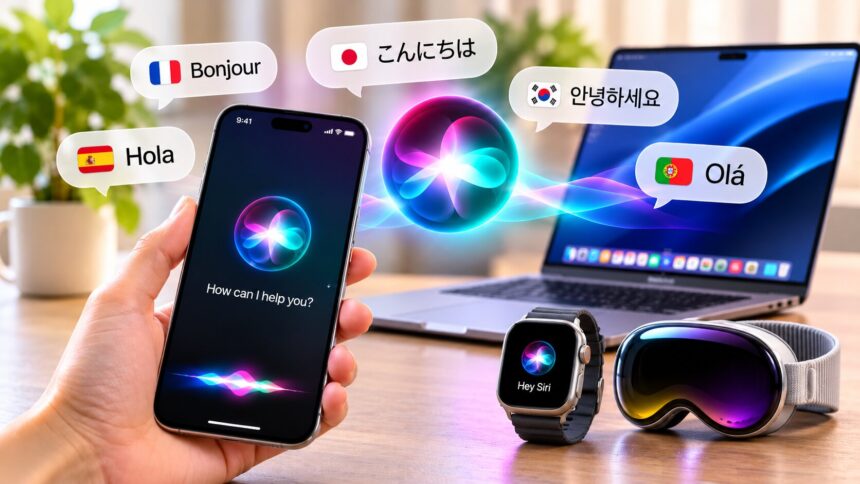
According to Apple’s official announcement, Siri AI currently supports six languages in its beta release.
- English
- French
- Japanese
- Korean
- Portuguese
- Spanish
Apple added the five non-English options on October 26, 2026, with its 27.2 software update.
A mismatch between the device language and Siri language can prevent access even when both individual settings appear reasonable. Check them together rather than changing only one.
Which Languages Are Coming Next?
Apple has announced plans to add Traditional Chinese, Norwegian, Turkish, and Vietnamese by the end of 2026.
Filipino is not included in the announced list. Users should also distinguish Siri AI language support from Apple Intelligence language support overall. Some Apple Intelligence features work in additional languages, but not every Siri AI capability is necessarily available in each one.
Confirm Regional Availability
The final compatibility check is location and account eligibility.
Siri AI is unavailable on iOS, iPadOS, and watchOS in the European Union, while macOS 27 and visionOS 27 are supported there. The beta is also unavailable to users under 13 and to users with an Apple Account set to mainland China.
These restrictions mean a device can meet the hardware, software, and language requirements while still being unable to access the beta.
If the Siri AI option does not appear after the first three checks, review the current Apple release information for regional restrictions and rollout changes.
Use a Compatibility Checklist Before Testing
A simple record of the four requirements makes troubleshooting easier.
| Requirement | What to verify |
|---|---|
| Hardware | Exact device model is supported |
| Software | Compatible 27.2 software update is installed |
| Language | Device and Siri languages match |
| Region | Device and account are eligible for the beta |
Work through the table from top to bottom. If one requirement fails, address it before moving to the next.
This also helps when asking for technical support. Instead of saying only that Siri AI is unavailable, users can explain which compatibility checks have already passed.
Test Features Separately After Access Is Enabled
Getting into the beta does not guarantee that every capability will behave the same way. Test the available functions individually.
1. Conversational Questions
Start with a straightforward question, then ask a related follow-up. Siri AI is designed to handle more natural conversations and contextual requests.
Verify important information involving money, travel, or safety instead of relying on an answer without checking it.
2. Personal Information Searches
Try locating a detail in supported messages, emails, or photos. Access depends on the feature, application integration, and privacy permissions.
Check the result against the original source to make sure the correct information was found.
3. Actions Across Apps
Test a simple supported task, such as drafting an email or editing a photo. Review the proposed text, recipients, attachments, and dates before approving an action.
4. Onscreen Awareness
On supported devices and software, ask about visible content or try an action related to what is displayed. Availability varies by device, application, region, and software version.
A successful conversational test does not automatically prove that personal searches or cross-app actions are also available.
Understand the Privacy Requirements
Apple says requests are processed on-device when possible, while more complex work can use Private Cloud Compute.
Apple describes Private Cloud Compute as a system designed to process requests without retaining the data and without making it accessible to Apple or other parties. Users should still review individual application permissions and avoid providing information that a request does not need.
When testing Siri AI languages, privacy settings are worth checking alongside compatibility. A feature may be supported but still require the appropriate permission to access personal content.
Frequently Asked Questions
Which languages does Siri AI support?
The current beta supports English, French, Japanese, Korean, Portuguese, and Spanish.
Does Siri AI support Filipino?
No. Filipino is not on Apple’s announced list of supported or upcoming languages.
Do all iPhones support Siri AI?
No. The beta requires compatible hardware, including iPhone 15 Pro and later models.
Can I use Siri AI on a Mac or iPad?
Yes, provided the device meets the hardware and software requirements and has eligible language and regional settings.
Is there a separate subscription fee?
Apple has not announced a separate subscription for the built-in beta. Some service requirements or limits may still apply.
Is Siri AI available in the European Union?
Availability is restricted on iOS, iPadOS, and watchOS in the EU. macOS 27 and visionOS 27 are supported there.
Can children access the beta?
The beta is unavailable to users under 13. Families should also review device permissions and content settings.
Final Thoughts
Checking compatibility before troubleshooting makes it easier to understand why Siri AI may be unavailable. Hardware, software, language, and region are separate requirements, and each one needs to be satisfied.
As Siri AI languages expand, more people will have an opportunity to use Apple’s updated assistant. However, the experience still depends on the device and the specific capabilities available in the user’s region.
Related reading: AI privacy settings; advances in conversational voice AI.