

“`html
Bullet points are an essential formatting tool that improves readability, highlights key points, and organizes information efficiently. Whether creating a list in a document, email, or presentation, knowing how to insert a bullet point using a keyboard can save time and effort.
Using Keyboard Shortcuts to Insert Bullet Points
Different operating systems and applications provide various methods to insert bullet points using keyboard shortcuts. Below are the most common ways to achieve this:
Windows Keyboard Shortcuts
- Alt + 7 or Alt + 0149 (Numeric Keypad): In most Windows applications, holding the Alt key and pressing 7 on the numeric keypad generates a bullet point (•). Alternatively, using Alt + 0149 works as well.
- Microsoft Word: Pressing Ctrl + Shift + L instantly formats a new bullet point.
Mac Keyboard Shortcuts
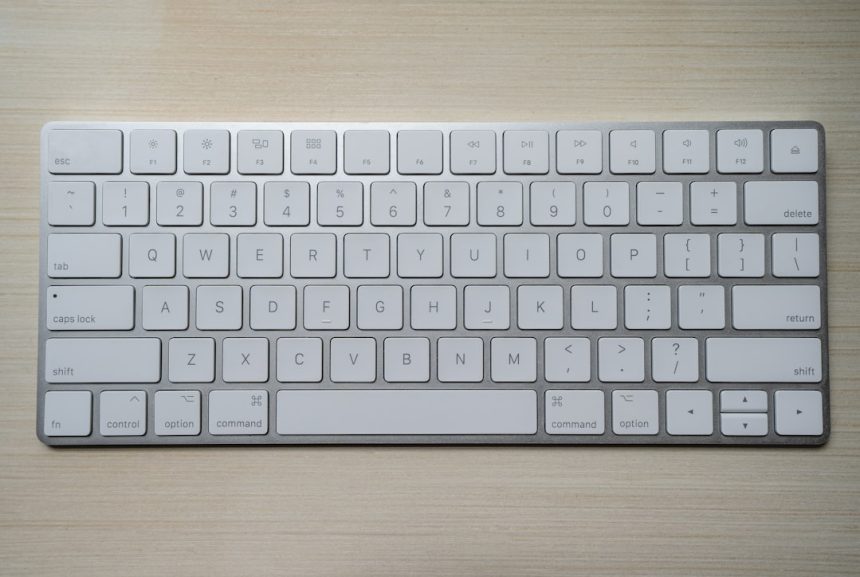
- Option + 8: On macOS, holding the Option (⌥) key and pressing 8 produces a standard bullet point (•).
Linux & Alternative Methods
- Unicode Input: Press Ctrl + Shift + U, followed by 2022, then press Enter to insert a bullet point.
- Copy-Paste Method: Manually copying a bullet point (•) and pasting it is useful when shortcuts are unavailable.
[ai-img]keyboard, keys, bullet point[/ai-img]
Using Built-in Formatting Tools
Most word processors and email clients include built-in tools to insert bullet points. Here’s how:
- Microsoft Word or Google Docs: Clicking on the bulleted list button in the toolbar automatically inserts a bullet point.
- HTML Coding: When working with web content, lists are created using the
<ul>(unordered list) and<li>(list item) tags.
Using Special Characters and Symbols
For those looking for alternative bullet styles, special characters might be useful. Various bullet styles include:
- ● Black Circle (Alt + 8 on Windows)
- ◦ White Bullet (Unicode: U+25E6)
- ▪ Small Bullet (Unicode: U+25AA)
These symbols can be accessed via the Character Map tool in Windows or the Character Viewer in macOS.
How to Customize Bullets in Documents
Many writing applications, such as Microsoft Word and Google Docs, allow users to change bullet styles. To customize bullets:
- Click on the bullet list icon in the toolbar.
- Choose a different style from the dropdown menu.
- Some applications allow custom bullet design by selecting a symbol or image.
[ai-img]document, text editing, bullet points[/ai-img]
Frequently Asked Questions (FAQ)
What do I do if my keyboard shortcuts don’t work?
Ensure that the Num Lock key is enabled when using numeric keypad shortcuts. If issues persist, try the copy-paste method.
Can I use bullet points in emails?
Yes. Most email clients support bullet points through formatting options in the compose window. Additionally, you can copy and paste bullets manually.
How do I add bullet points in online forms or chat messages?
Many online platforms do not support immediate bullet formatting. A workaround is copying and pasting bullet characters or using dashes (-) or asterisks (*) instead.
Can I create nested bullet lists using the keyboard?
Yes. Pressing the Tab key after starting a bullet list will indent the bullet point, creating a sub-level.
[ai-img]nested list, bullets, indentation[/ai-img]
Are there alternative keyboard symbols for bullet points?
Yes. Some common alternatives include • (dot), * (asterisk), and – (dash), which work well in informal writing.
Mastering keyboard shortcuts for bullet points allows for faster, more streamlined content creation. Whether typing documents, formatting emails, or writing online content, these methods ensure effective and visually appealing lists.
“`








