TechHarveyTechHarvey
  • Business
  • Computers
  • Cryptocurrency
  • Education
  • Gaming
  • News
  • Sports
  • Technology
Reading: How to Fix the “There was an Error Generating a Response” Error on ChatGPT
Share
Aa
TechHarveyTechHarvey
Aa
  • Business
  • Computers
  • Cryptocurrency
  • Education
  • Gaming
  • News
  • Sports
  • Technology
Search
  • Business
  • Computers
  • Cryptocurrency
  • Education
  • Gaming
  • News
  • Sports
  • Technology
© 2022 Foxiz News Network. Ruby Design Company. All Rights Reserved.
TechHarvey > How To > How to Fix the “There was an Error Generating a Response” Error on ChatGPT
How To

How to Fix the “There was an Error Generating a Response” Error on ChatGPT

Business Tech Ninjas
Last updated: 2023/07/17 at 12:47 PM
Business Tech Ninjas
Share
3 Min Read
Fix There was an Error Generating a Response on ChatGPT
SHARE

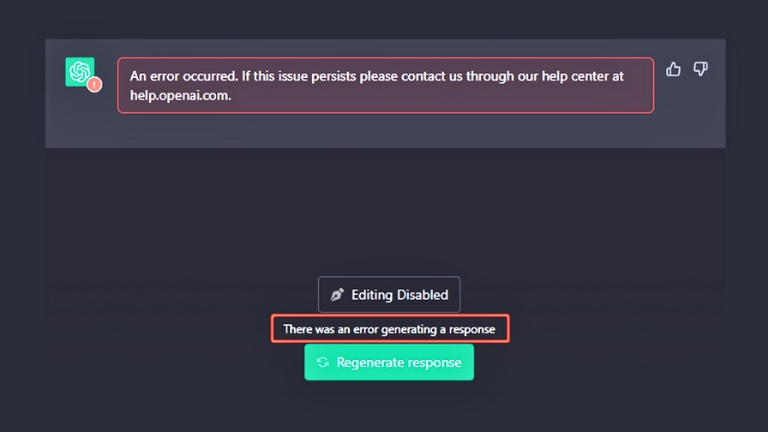
ChatGPT is an AI language model that can generate text, translate languages, write different kinds of creative content, and answer your questions in an informative way. However, on rare occasions, you may encounter the error message “There was an error generating a response.”

This article will explore the causes of this issue “There was an error generating a response” Error on ChatGPT and provide you with practical steps to fix it. By following the steps outlined in this article, you should be able to resolve the error and continue using ChatGPT.

What Causes the Error?

The “There was an error generating a response” message can be caused by a number of factors.

  • Poor internet connection
  • Browser problems
  • Server issues
  • Incorrect input

How to Fix There was an Error Generating a Response Error on ChatGPT

Here are some steps you can take to resolve the “There was an error generating a response” error:

Refresh the ChatGPT page

Sometimes, a simple refresh can do the trick. Look for the refresh button on your browser, or press F5 on your keyboard. This clears out any temporary issues and gives ChatGPT a fresh start.

Check your internet connection

there was an error generating a response chatgpt

Make sure your internet is working properly. Check if other websites are loading without any problems. If your connection seems slow or unstable, try resetting your modem or contacting your internet service provider for assistance.

Update your web browser

Ensure that you are using the latest version of your web browser. Outdated browsers can sometimes cause compatibility issues with ChatGPT. Check for updates or consider switching to a more modern browser like Google Chrome or Mozilla Firefox.

Wait and try again later

Sometimes, the error can be caused by temporary server issues or high demand. In such cases, waiting for a few minutes and trying again later can help. Patience is key!

Shorten or simplify your input

If you’re getting the error message consistently, it could be due to the complexity of your prompt. Try simplifying it by using shorter sentences or removing any unnecessary details. ChatGPT performs best with clear and concise instructions.

Contact Open AI ChatGPT’s support team

If you’ve tried all the above steps and the error persists, don’t hesitate to contact ChatGPT’s support team for assistance. They have the expertise to help you troubleshoot and resolve any underlying issues.

Conclusion

While encountering the “There was an error generating a response” message with ChatGPT is relatively rare, it can be frustrating when it does happen. By following the steps outlined in this article, you should be able to troubleshoot and resolve the error, allowing you to continue enjoying the benefits of ChatGPT’s capabilities.


Business Tech Ninjas July 17, 2023
Share this Article
Facebook Twitter Whatsapp Whatsapp Telegram Copy Link Print
Leave a comment Leave a comment

Leave a Reply Cancel reply

Your email address will not be published. Required fields are marked *

Latest Posts

urban planning and public systems explained through The Power Broker and systemic power
The Power Broker: A Guide to Systemic Power in Cities
Books March 12, 2026
Adam Conover discussing Robert Moses Power Broker and hidden infrastructure power
Adam Conover Breaks Down Robert Moses and Hidden Power
Books March 11, 2026
Roll of Thunder, Hear My Cry inspiring personal identity and truth
The Book That Inspired Me to Honor My Truth
Books March 8, 2026
Valerie Bertinelli discussing Yertle the Turtle lessons about grief, courage, and leadership
Yertle the Turtle and the True Cost of Power and Grief
Books March 5, 2026
Cover of Yertle the Turtle by Dr. Seuss that inspired Valerie Bertinelli
Valerie Bertinelli’s Breakthrough Thanks to Dr. Seuss!
Books March 4, 2026
Andrew and Jihi Bustamante discussing Shadow Cell on Books That Changed My Life.
From CIA Service to Shadow Cell Leadership
Books March 1, 2026
Starbucks Beast Games collaboration drink promotion
What is MrBeast Up To?
Lifestyle February 28, 2026
persistence and positive thinking
Building Resilience With Positive Thinking Daily
Books February 26, 2026

Error: unable to get links from server. Please make sure that your site supports either file_get_contents() or the cURL library.

You Might also Like

iphone featured
How To

How to Add a Microsoft Account to iPhone for Reminders App

January 30, 2025
How To

How to Fix Performance Issues in Cyberpunk: Quick Tips

January 26, 2025
walmart featured
How To

We’re unable to create your Walmart+ membership? Here’s How to Fix It

January 17, 2025
How to Use ‘January So Far’ Instagram Story Template
How To

How to Use ‘January So Far’ Instagram Story Template

January 12, 2025

© Copyright 2022 Techharvey.com. All Rights Reserved

  • About
  • Contact
  • Terms and Conditions
  • Privacy Policy
  • Write for us

Removed from reading list

Undo
Welcome Back!

Sign in to your account

Lost your password?